CRM for Small Business: What It Is and How to Choose One
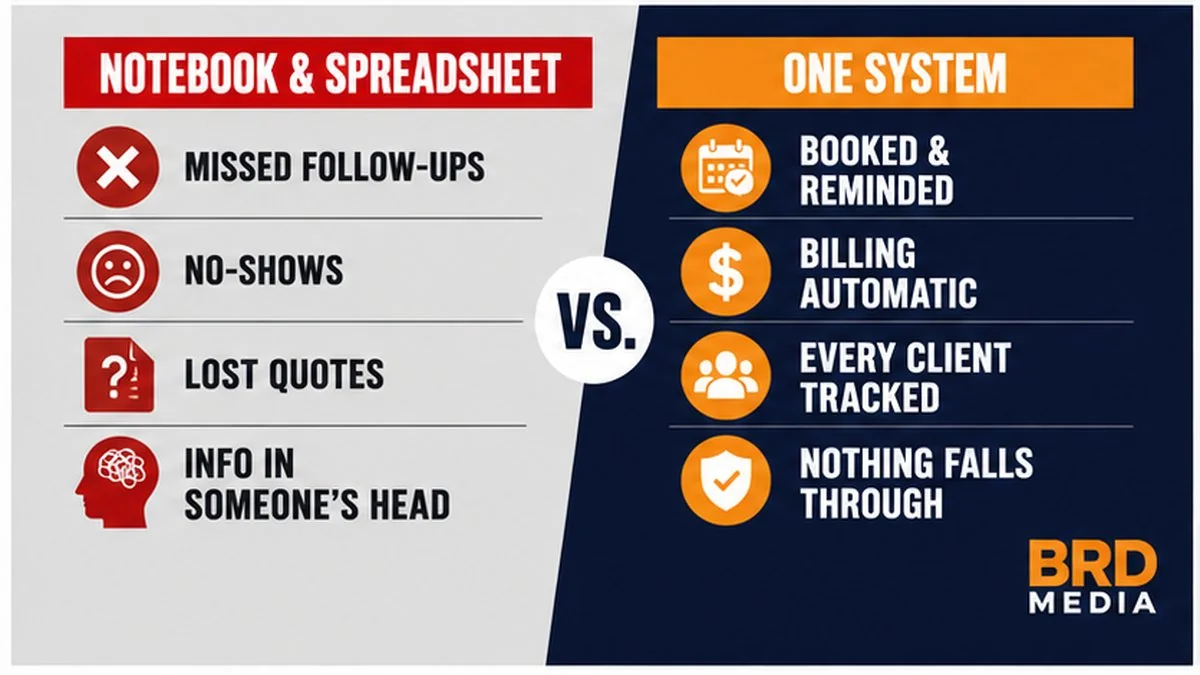
Most small business owners aren’t actually shopping for a CRM. They’re trying to stop running the whole operation out of a notebook. If you’ve been tracking appointments, follow-ups, and quotes in a paper planner or one giant spreadsheet, a CRM for small business is the thing that finally takes that weight off your back.
Here’s what nobody tells you: the point of a CRM isn’t fancy remarketing. It’s keeping every client, appointment, and follow-up in one place so nothing falls through the cracks. That’s it. Everything else is a bonus once you’ve got the basics dialed in.
What a CRM Actually Is (vs. What Owners Think It Is)
A CRM, short for customer relationship management software, is a single home for your contacts, your calendar, your follow-ups, your quotes, and your billing. One place. Everyone on your team looking at the same record.
When an owner tells me they’re “looking at a CRM,” what they usually need is a way to track appointments and keep client info organized. Most have run their business out of a notebook or a CSV for years. What they don’t realize is how much easier the right tool makes their day.
It is not just a sales machine. Yes, it can run marketing and reactivation campaigns. But if all it ever does is replace your notebook and stop you from forgetting to call somebody back, it already paid for itself.
The Data: Most Small Businesses Are Behind
The numbers say this isn’t optional anymore. Roughly 71% of small businesses now use a CRM, and adoption among smaller shops jumped sharply over the last two years. Meanwhile, close to half of businesses with fewer than ten employees still manage clients on spreadsheets or paper.
But the stat that matters most is the failure one. Around 70% of CRM projects fail to hit their goals. And it’s almost never the software. It’s people not using it. On top of that, about three out of four teams never touch most of the tools they’re already paying for.
Read that again. The tool isn’t the problem. The problem is buying it and then half-using it. That single fact should shape how you pick one and how you roll it out.
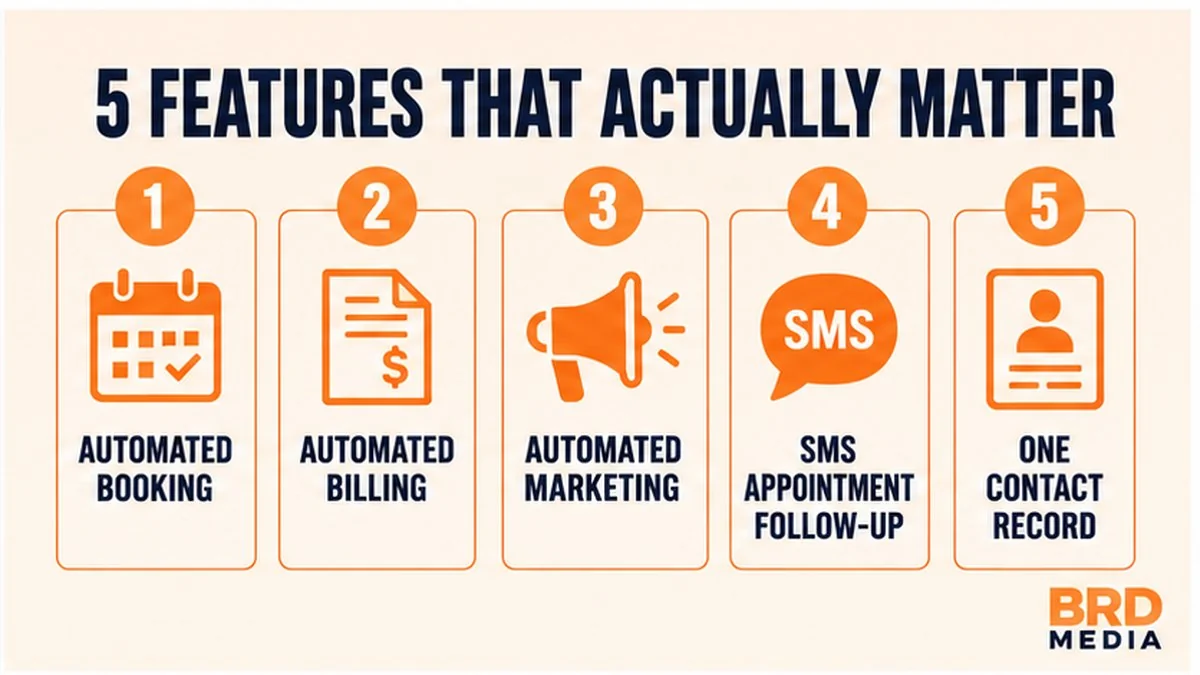
The 5 Features That Actually Matter
Forget the 40-item feature checklist. For a service business, these are the ones that move the needle. Everything else is gravy.
1. Automated booking
Clients book themselves into your calendar without the phone-tag. Fewer gaps, fewer double-bookings, less of your day spent scheduling.
2. Automated billing
Invoices and payment requests go out on their own. You stop chasing money and the cash flow gets predictable.
3. Automated marketing
Simple campaigns to your existing list: reactivations, seasonal offers, review requests. This is where a CRM starts paying you back instead of just storing data.
4. SMS follow-up for booked appointments
Text reminders before the appointment so people actually show up. No-shows are quiet money-killers, and this is the cheapest fix there is.
5. One contact record
Every call, text, email, quote, and appointment for a client lives on one screen. Anyone on your team can pick up where the last person left off.
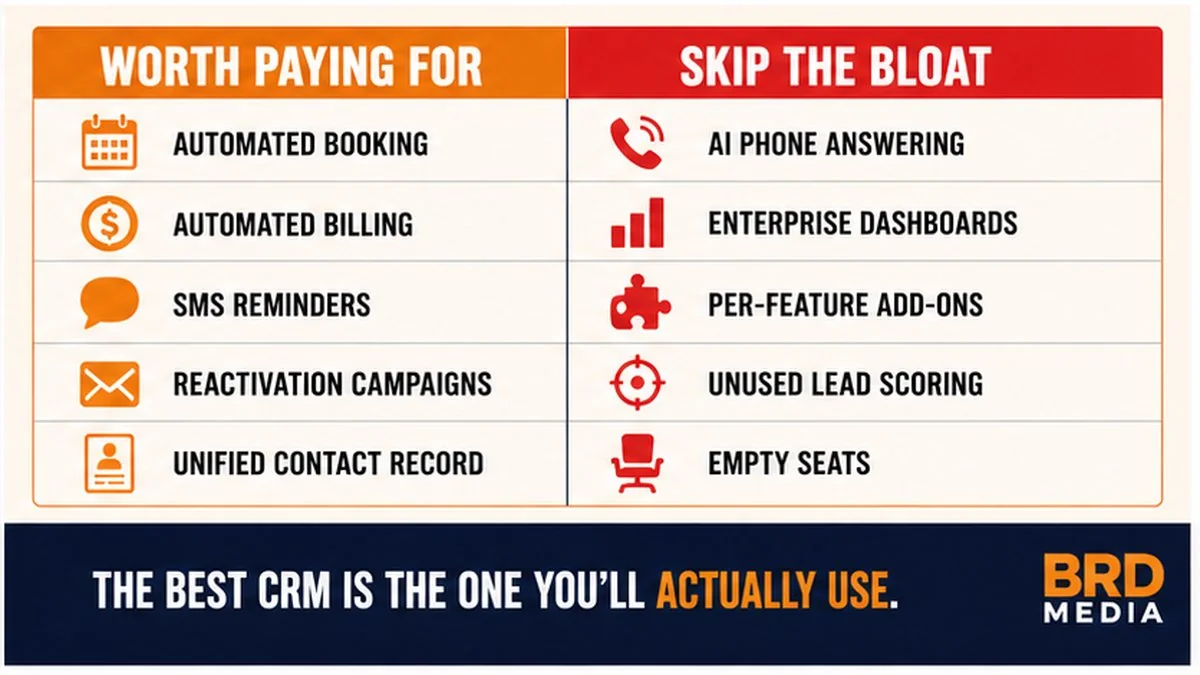
Now the bloat. The big one is AI answering services and similar add-ons. Most small businesses don’t have the call volume to justify the per-use cost. You’ll pay for tokens and seats you never come close to using. If a feature doesn’t map to booking, billing, follow-up, or a single source of truth, treat it as optional until proven otherwise.
How to Actually Choose One
Straight answer: the best CRM is the one you’ll use consistently. I don’t rank any single platform above the rest, because the “right” one depends on what you need and how big you are.
The big names you’ll Google first, HubSpot, Salesforce, Zoho, and Pipedrive, all work. My one warning: some of them charge you for every little feature and integration, which I think is unfair. Those nickel-and-dime add-ons are how a “cheap” plan turns into a real bill.
I personally run GoHighLevel for my clients. There’s no such thing as a truly all-inclusive platform, but dollar for dollar I’ve found GHL gives you the most versatility (integrations, webhooks, automation) without charging more every time you want to connect something. That’s my setup, not a rule. Pick what your team will actually open every day.
What It Costs (Real Ranges)
If you’re paying someone to build out a CRM for you, expect to start around $2,500. Once you need the genuinely useful stuff, like full automation, billing, and multi-step follow-up, it climbs toward $5,000 to $6,000. And honestly, if your business is big enough to need all that, the cost won’t bother you. It pays for itself in recovered no-shows and follow-ups alone.
Watch the hidden fees. Most platforms, GoHighLevel included, give you a set number of users before you have to bump up to a higher package. Per-seat creep and integration charges are where the monthly number quietly grows. Ask about that before you sign, not after.
The #1 Way Owners Screw This Up
Two mistakes, and I see them constantly.
First: paying for a CRM and then not forcing yourself or your staff to use it. A tool you don’t open is a subscription, not a system.
Second: half-using it. The client email comes into the CRM, but instead of replying inside it, your tech grabs their personal phone and texts back. Now that conversation isn’t in the record. They book a job on their own calendar instead of the CRM. Now the schedule’s incomplete. Do that enough and the whole thing is full of holes.
If you’re going to use a CRM, use it all the way. Every message, every booking, every quote goes through the system. That’s the difference between the businesses that get value out of it and the 70% that give up.
Do You Even Need One Yet?
There’s a real line here. A spreadsheet is genuinely fine right up until it isn’t.
You’ve crossed the line when you’ve got too many active clients to keep in your head or on one piece of paper. When you’re juggling 15 to 20 follow-ups a week, plus quotes that need to go out, plus active jobs running every day, and you and your staff can’t keep up, that’s the moment.
My actual recommendation? Use one from the beginning. It’s a lot easier to build the habit when you have 10 clients than to migrate the chaos once you have 200.
Run It Yourself or Have Someone Manage It
Self-hosting works well if you’ve got someone halfway competent in the office. It’ll save you money long-term, and once they understand the system they can run other things off it too, like automated email and SMS reminders for appointments and bookings, task automation, the works.
The flip side: if nobody on your team wants to own it, a half-built CRM rots fast. That’s when handing it to a partner makes sense. We handle the CRM build and marketing automation setup for service businesses so the booking, billing, and follow-up are wired up right from day one. And if you want the bigger picture on how the automation side fits together, here’s how marketing automation actually works for a small business.
Your CRM problem isn’t a software problem
It’s a follow-through problem. The businesses that win pick a tool, use it all the way, and let it carry the busywork. If you want that set up right the first time, let’s talk for ten minutes.
Book a Free Strategy Call →